Excel VBA 自动创建工作簿目录
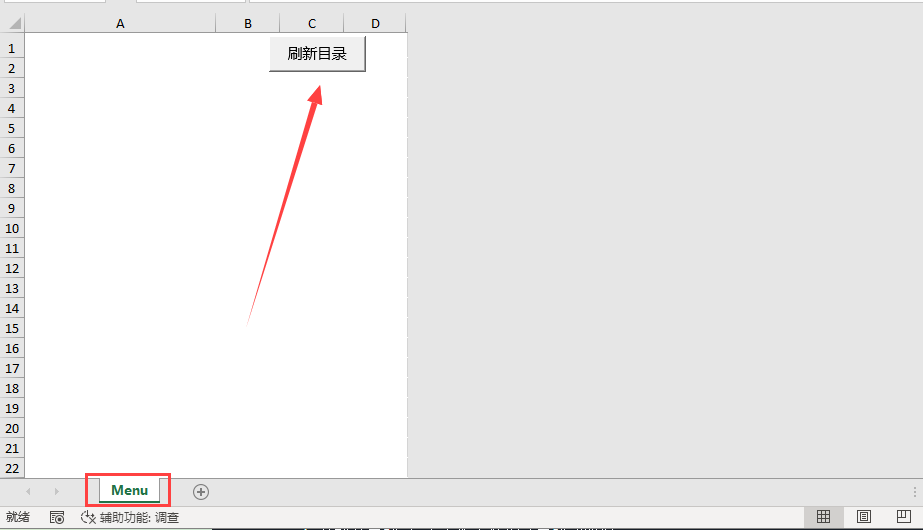
自动为当前Excel 工作簿中的工作表创建目录,假设当前工作表中的Menu作为目录的表。
Sub CreateSheetIndex()
    Dim ws As Worksheet
    Dim indexSheet As Worksheet
    Dim sheetName As String
    Dim i As Integer
    Dim rowNum As Integer


    ' 检查是否已存在名为"目录"的工作表
    On Error Resume Next
    Set indexSheet = ThisWorkbook.Sheets("Menu")
    On Error GoTo 0

    ' 如果不存在则创建
    If indexSheet Is Nothing Then
        Set indexSheet = ThisWorkbook.Sheets.Add(Before:=ThisWorkbook.Sheets(1))
        indexSheet.Name = "Menu"
    Else
        ' 如果已存在则清空内容
        indexSheet.Cells.ClearContents
    End If

    ' 设置标题
    With indexSheet
        .Range("A1").Value = "工作表目录"
        .Range("A1").Font.Bold = True
        .Range("A1").Font.Size = 14

        ' 开始从第3行写入工作表名称(第2行留空)
        rowNum = 3

        ' 遍历所有工作表
        For i = 1 To ThisWorkbook.Sheets.Count
            sheetName = ThisWorkbook.Sheets(i).Name

            ' 排除当前目录表本身
            If sheetName <> "Menu" Then
                ' 写入工作表名称并创建超链接
                .Hyperlinks.Add Anchor:=.Cells(rowNum, 1), _
                                Address:="", _
                                SubAddress:="'" & sheetName & "'!A1", _
                                TextToDisplay:=sheetName

                ' 增加行号
                rowNum = rowNum + 1
            End If
        Next i

        ' 自动调整列宽
        .Columns("A:A").AutoFit
    End With

    ' 激活目录表
    indexSheet.Activate
    indexSheet.Cells.Font.Underline = xlUnderlineStyleNone
    MsgBox "工作表目录已创建完成!", vbInformation
End Sub
 中文(简体)
 中文(繁體)
 日本語
日本語 한국어
한국어 русский
 English
 français
 Deutsch
 español
 italiano
 বাংলা (ভারত)
 العربية
 ไทย
ไทย Tiếng Việt
 Bahasa Melayu
 Filipino
 ελληνικά
 magyar
 dansk
dansk norsk
norsk íslenska
 Gaeilge