CF前端+自建ntfy服务器实现扫码一键挪车实时推送消息+照片
ntfy是一个简单的基于 HTTP 的发布-订阅通知服务。它允许你通过简单的 HTTP 请求或使用 ntfy 客户端向各种设备发送推送通知。
轻量级:资源占用少,适合各种环境
跨平台支持:支持 Android、iOS、Linux、macOS 和 Windows
多种通知方式:支持 HTTP、WebSocket、MQTT 等协议
官方部署文档: https://docs.ntfy.sh/install
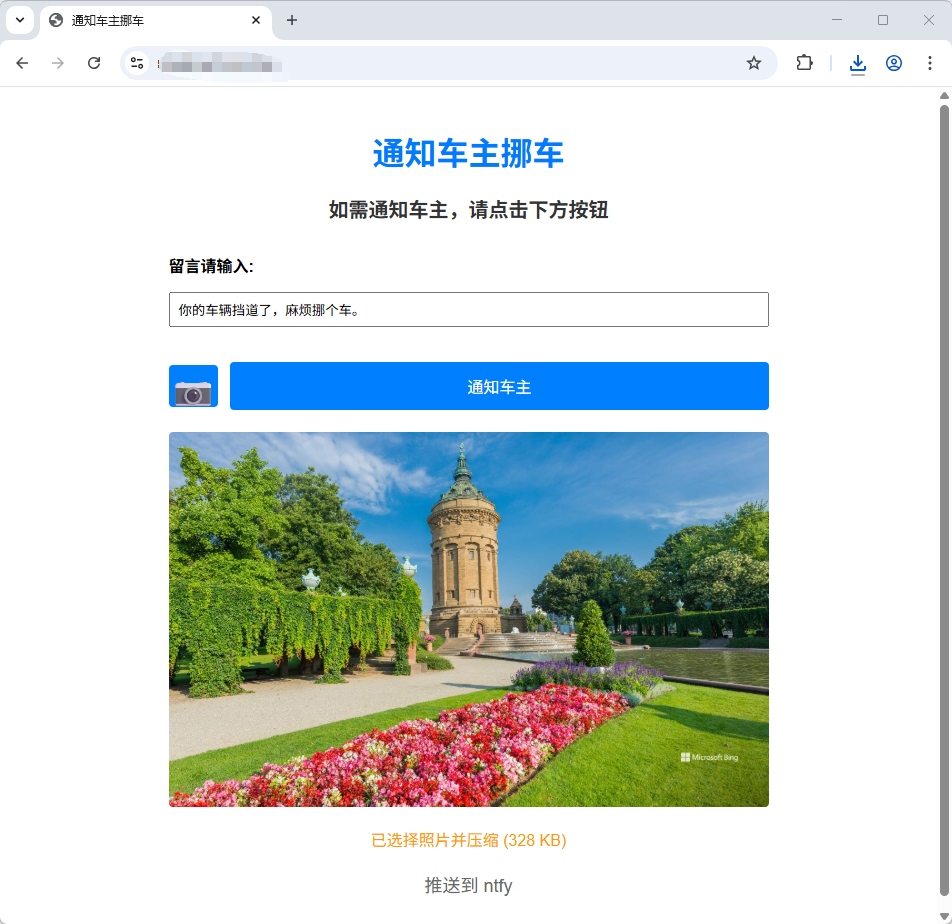
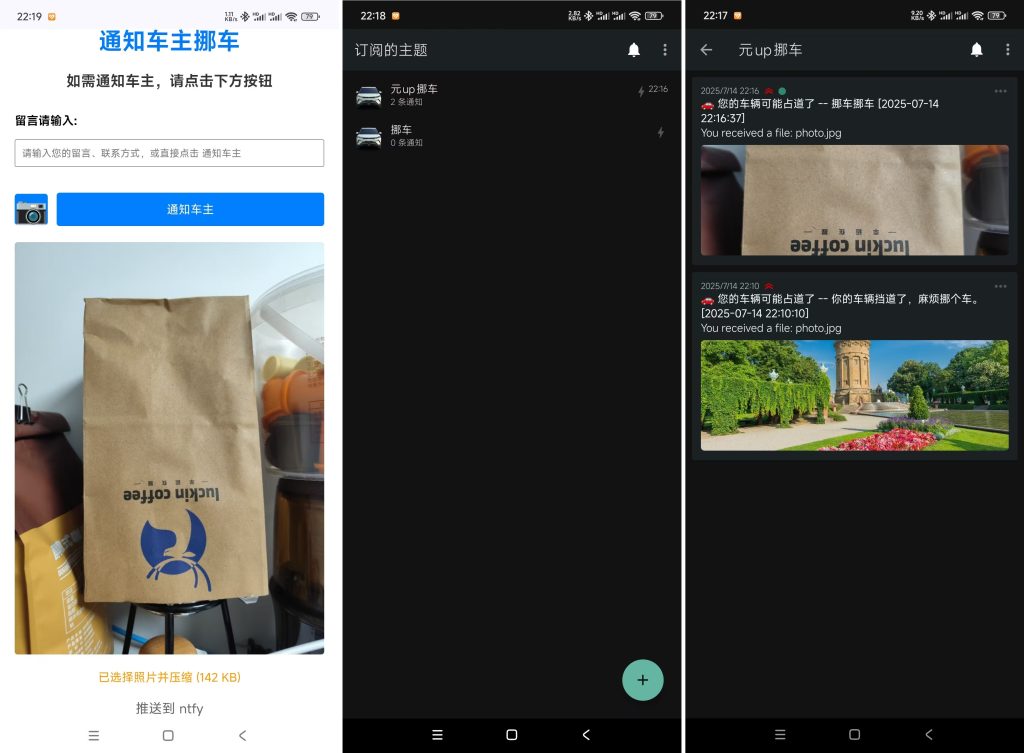
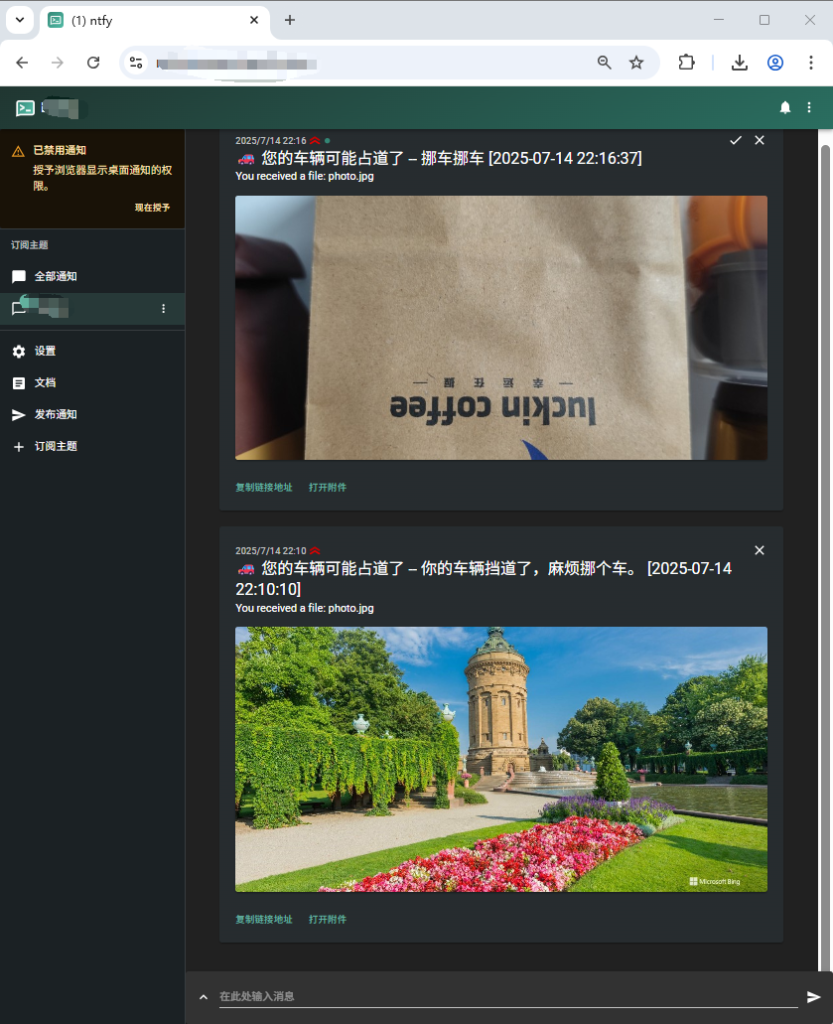
CF前端代码,部署时需要在环境变量中增加以下三个变量
NTFY_SERVER — ntfy服务器地址,比如https://a.b.com
NTFY_TOPIC — 推送主题(将组成完整URL)
PUSH_INTERVAL — 推送间隔限制(分钟,0表示无限制)
export default {
    async fetch(request, env, ctx) {
      const url = new URL(request.url);

      if (url.pathname === '/api/send' && request.method === 'POST') {
        try {
          const pushInterval = parseInt(env.PUSH_INTERVAL || '0') * 60_000;
          const now = Date.now();
          const cookies = Object.fromEntries(
            (request.headers.get('Cookie') || '')
              .split(';')
              .filter(Boolean)
              .map(c => c.trim().split('=')),
          );
          const lastPushTime = parseInt(cookies.lastPushTime || '0');
          if (pushInterval > 0 && lastPushTime && now - lastPushTime < pushInterval) {
            const remain = pushInterval - (now - lastPushTime);
            const mm = Math.floor(remain / 60_000);
            const ss = Math.floor((remain % 60_000) / 1000)
              .toString()
              .padStart(2, '0');
            return json({ errcode: -2, errmsg: `操作过于频繁,请 ${mm}分${ss}秒 后再试` }, 429);
          }

          let content = '';
          let photoFile = null;
          const ctype = request.headers.get('Content-Type') || '';
          if (ctype.startsWith('multipart/form-data')) {
            const form = await request.formData();
            content = form.get('content') || '';
            photoFile = form.get('photo') || null;
          } else {
            ({ content = '' } = await request.json());
          }

          const result = photoFile
            ? await sendNtfyWithPhoto(content, photoFile, env)
            : await sendNtfyMessage(content, env);

          if (result.errcode === 0) {
            return json(result, 200, {
              'Set-Cookie': `lastPushTime=${now}; Max-Age=${Math.floor(pushInterval / 1000)}; Path=/; HttpOnly`,
            });
          }
          return json(result);
        } catch (e) {
          return json({ errcode: -1, errmsg: e.message || '服务器错误' }, 500);
        }
      }

      return new Response(
        `<!DOCTYPE html>
  <html lang="zh-CN">
  <head>
    <meta charset="UTF-8">
    <meta name="viewport" content="width=device-width,initial-scale=1">
    <title>通知车主挪车</title>
    <style>
      body{font-family:Arial,Helvetica,sans-serif;max-width:600px;margin:0 auto;padding:20px;text-align:center;}
      h1{font-size:32px;margin-bottom:20px;color:#007bff;}
      h2{font-size:20px;margin-bottom:20px;color:#333;}
      .container{margin-top:30px;}
      input,button{margin:10px 0;padding:8px;box-sizing:border-box;}
      .form-group{margin-bottom:15px;text-align:left;}
      label{display:block;margin-bottom:5px;font-weight:bold;}
      .btn{background:#0080ff;color:#fff;border:none;border-radius:4px;cursor:pointer;}
      .btn:hover{background:#0066cc;}
      .btn-send{flex:1;padding:12px 20px;font-size:16px;}
      .btn-photo{flex:0 0 45px;height:45px;padding:0;font-size:18px;display:flex;align-items:center;justify-content:center;}
      .btn-row{display:flex;gap:12px;align-items:center;}
      #preview{max-width:100%;display:none;margin-top:12px;border-radius:4px;}
      .info-text{font-size:18px;color:#666;margin-top:20px;}
    </style>
  </head>
  <body>
    <h1>通知车主挪车</h1>
    <h2>如需通知车主,请点击下方按钮</h2>

    <div class="container">
      <div class="form-group">
        <label for="content">留言请输入:</label>
        <input id="content" type="text" placeholder="请输入您的留言、联系方式,或直接点击 通知车主" style="width:100%;">
      </div>

      <input id="photoInput" type="file" accept="image/*" capture="environment" style="display:none;">
      <div class="btn-row">
        <button id="photoBtn" class="btn btn-photo" title="拍照/选图">📷</button>
        <button id="sendBtn" class="btn btn-send">通知车主</button>
      </div>

      <img id="preview" alt="预览">

      <div id="result" style="margin-top:20px;"></div>
      <p class="info-text">推送到 ntfy</p>
    </div>

  <script>
    const $ = id => document.getElementById(id);
    const photoInput = $('photoInput');
    const photoBtn   = $('photoBtn');
    const sendBtn    = $('sendBtn');
    const resultDiv  = $('result');
    const previewImg = $('preview');
    const contentInp = $('content');

    let photoFile = null;

    photoBtn.addEventListener('click', () => photoInput.click());

    photoInput.addEventListener('change', async () => {
      if (!photoInput.files.length) return;
      try {
        const compressed = await compressImage(photoInput.files[0]);
        photoFile = new File([compressed.blob], 'photo.jpg', { type: 'image/jpeg' });
        previewImg.src = compressed.url;
        previewImg.style.display = 'block';
        resultDiv.innerHTML = '<p style="color:#ff9800;">已选择照片并压缩 (' +
          Math.round(photoFile.size/1024) + ' KB)</p>';
      } catch (e) {
        photoFile = null;
        previewImg.style.display = 'none';
        alert('图片压缩失败:' + e.message);
      }
    });

    async function compressImage(file){
      const max = 1080, quality = 0.9;
      const img = await new Promise((res, rej) =>{
        const i = new Image();
        i.onload = ()=>res(i);
        i.onerror= rej;
        i.src = URL.createObjectURL(file);
      });
      let {width:w, height:h} = img;
      if (w > h && w > max){ h = Math.round(h*max/w); w = max; }
      else if (h >= w && h > max){ w = Math.round(w*max/h); h = max; }

      const canvas = document.createElement('canvas');
      canvas.width = w; canvas.height = h;
      canvas.getContext('2d').drawImage(img, 0, 0, w, h);

      const blob = await new Promise(r=>canvas.toBlob(r, 'image/jpeg', quality));
      const url  = URL.createObjectURL(blob);
      return { blob, url };
    }

    sendBtn.addEventListener('click', async () => {
      const custom = contentInp.value.trim();
      const full   = '您的车辆可能占道了' + (custom ? ' -- ' + custom : '');

      sendBtn.disabled = true;
      resultDiv.innerHTML = '<p>发送中...</p>';

      try {
        const body = new FormData();
        body.append('content', full);
        if (photoFile) body.append('photo', photoFile);

        const rsp = await fetch('/api/send', { method:'POST', body, credentials:'include' });
        const res = await rsp.json();

        if (res.errcode === 0){
          resultDiv.innerHTML = '<p style="color:green;">消息推送成功!</p>';
          photoFile = null; previewImg.style.display = 'none'; photoInput.value='';
        }else{
          resultDiv.innerHTML = '<p style="color:red;">' + (res.errmsg||'推送失败') + '</p>';
        }
      } catch(e){
        resultDiv.innerHTML = '<p style="color:red;">请求出错: ' + e.message + '</p>';
      } finally{
        sendBtn.disabled = false;
      }
    });
  </script>
  </body>
  </html>`,
        { headers: { 'Content-Type': 'text/html;charset=utf-8' } },
      );
    },
  };

  function json(obj, status = 200, hdr = {}) {
    return new Response(JSON.stringify(obj), {
      status,
      headers: { 'Content-Type': 'application/json', ...hdr }
    });
  }

  function ts(txt) {
    const d = new Date(Date.now() + 8 * 3600_000)
      .toISOString()
      .replace('T', ' ')
      .substring(0, 19);
    return `${txt} [${d}]`;
  }

  async function sendNtfyMessage(content, env) {
    const url = `${env.NTFY_SERVER}/${env.NTFY_TOPIC}`;
    const r = await fetch(url, {
      method: 'POST',
      headers: { Title: '挪车通知', Priority: 'high', Tags: 'car' },
      body: ts(content)
    });
    if (!r.ok) throw new Error('ntfy 返回 ' + r.status);
    return { errcode: 0, errmsg: '文字推送成功' };
  }

  async function sendNtfyWithPhoto(content, file, env) {
    const url = `${env.NTFY_SERVER}/${env.NTFY_TOPIC}`;
    const r = await fetch(url, {
      method: 'PUT',
      headers: {
        Filename: file.name || 'photo.jpg',
        Title: ts(content),
        Priority: 'high',
        Tags: 'car'
      },
      body: file
    });
    if (!r.ok) throw new Error('ntfy 上传附件失败 ' + r.status);
    return { errcode: 0, errmsg: '文字+照片推送成功' };
  }

 中文(简体)
 中文(繁體)
 日本語
日本語 한국어
한국어 русский
 English
 français
 Deutsch
 español
 italiano
 বাংলা (ভারত)
 العربية
 ไทย
ไทย Tiếng Việt
 Bahasa Melayu
 Filipino
 ελληνικά
 magyar
 dansk
dansk norsk
norsk íslenska
 Gaeilge